
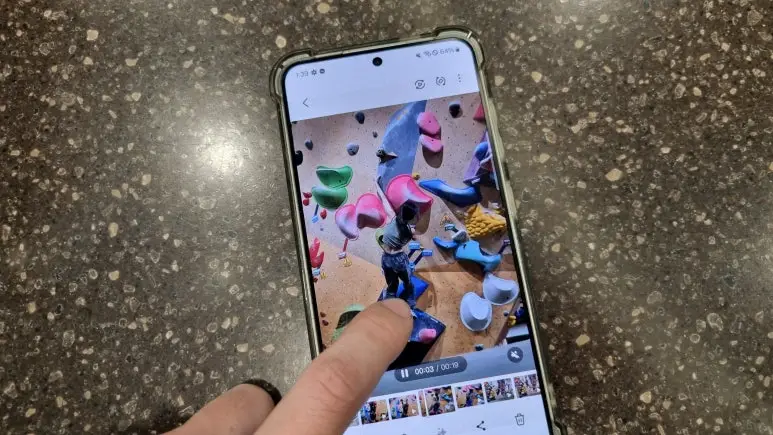
Climbing demands precise technique and calculated movements. To improve, many climbers record their sessions for self-analysis. Since its release in February 2024, the ‘Instant Slow-mo’ feature on the Galaxy S24 has become an essential tool for refining movement. If you’re climbing in Korea—whether at a local gym in Seoul or on the granite of Insubong—here is how you can use this feature to level up.
What is Instant Slow-motion?
The Galaxy S24’s ‘Instant Slow-mo’ allows you to apply a real-time slow-motion effect to any pre-recorded video. There’s no need to change settings before you start climbing; you can analyze your movement naturally after the climb is over.
Simple Usage:
- Effortless Operation: Simply press and hold the screen to view any desired section in slow motion.
- AI-Powered Analysis: Through frame interpolation technology, it provides smooth and natural video playback even in slow motion.
- Instant Editing: You can save the video and edit specific movements into loops for repeated study.
Key Benefits for Climbers
1) Granular Movement Analysis
Slow motion allows for a frame-by-frame breakdown of your footwork, balance, and body positioning. It helps pinpoint exactly why a move failed:
-
The precise moment a grip failed.
-
Subtle foot slips due to poor placement.
-
Inefficient weight distribution during a reach.
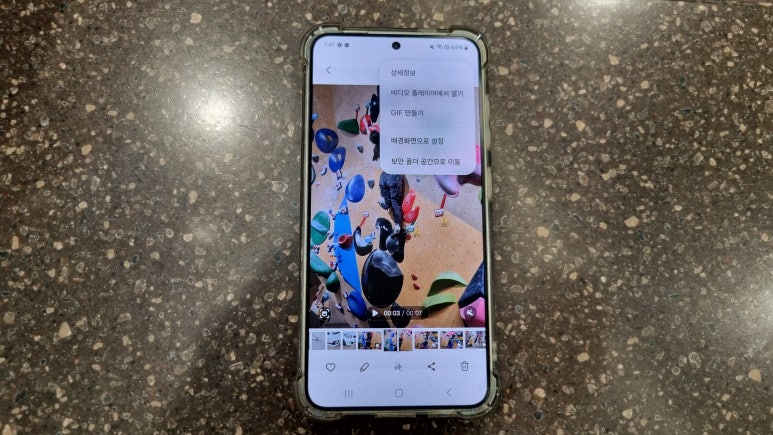
2) Refining Your ‘Beta’ in Real-time
Instead of guessing why you fell, you can watch the clip and immediately adjust your approach (the “beta”). This instant feedback loop is invaluable when you are projecting a difficult route. Precisely understanding the cause of failure allows for faster completion than simply repeating the same mistake.
3) Analyzing Crux Sequences and Tension
When you encounter a ‘crux’ (the hardest part of a climb) that requires sustained effort or static tension, Instant Slow-mo helps analyze the micro-movements needed to maintain balance and execute the sequence successfully.
How to Use Instant Slow-mo for Climbing
1) Record
Film your session using the Galaxy S24’s standard video mode.
2) Apply Slow Motion
Open the video in the Gallery app. While playing, simply press and hold the screen at the section you wish to analyze. The AI-powered frame interpolation will provide smooth, natural playback even in slow motion.
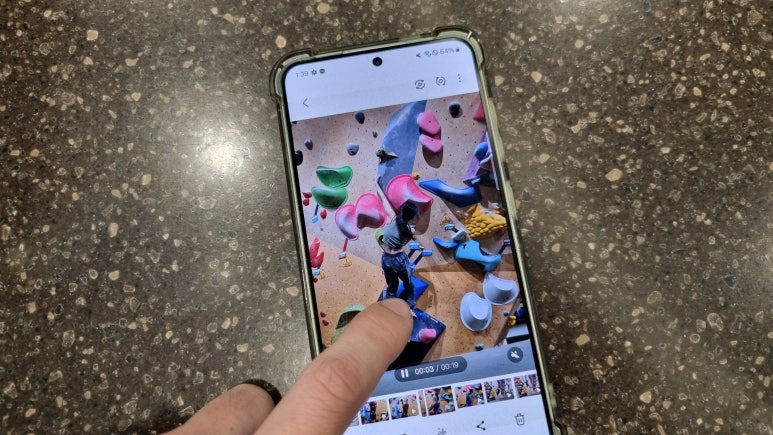
3) Edit and Save
While the slow-motion is active, an icon will appear (typically in the corner) to save the edited clip. You can then use the video player’s loop function to study specific movements repeatedly.
Supported Devices
The Instant Slow-mo feature debuted with the Galaxy S24 series and has since been extended to several models via the One UI 6.1 update (released starting March 28, 2024). Supported devices include:
-
Galaxy S23 series (including S23 FE*)
-
Galaxy Z Fold5 & Z Flip5
-
Galaxy Tab S9 series
Note: Feature availability may vary by model and region. Please check for the latest version in Settings > Software Update.
Final Recommendation
The Galaxy S24’s Instant Slow-mo is more than just a recording tool; it’s a digital instructor. By observing and correcting your movements in real-time, you can significantly improve your route-reading and overall technical skills. If you haven’t tried it yet, I highly recommend using it during your next session to push your limits on the wall.